You've built an incredible Anthropic Skill. It automates something useful, solves a real problem, or delivers genuine value. Now you want to share it with others or turn it into a business.
But there's a problem. Your potential users would need Claude Desktop or the Claude Code CLI installed. They'd need to configure MCP servers, manage dependencies, and basically become developers just to run your work. Most people won't do that. So your brilliant Skill sits unused on your laptop.
The real question isn't "how do I build a Skill?" It's "how do I get my Skill into users' hands without forcing them into a technical setup?"
That's what hosting solves. This guide shows you the complete picture: what hosting actually means, your real options (not just the obvious ones), and how to choose the right path based on what you're actually trying to accomplish.
Anthropic Skills are packages of instructions, scripts, and resources that Claude can load dynamically. They work through progressive disclosure: the model loads metadata first, then full instructions only when needed. This keeps context clean and performance fast.
A standard Skills-compatible structure includes:
→ A required SKILL.md file with YAML frontmatter
→ Optional folders like scripts/, references/, and assets/
→ Clear compatibility declarations for environment requirements
The confusion starts because multiple Claude products use "Skills" but deliver them differently:
| Claude Product | How Skills Are Delivered |
|---|---|
| Claude.ai and Claude Desktop | You upload a ZIP of your skill folder in Settings |
| Claude Code CLI and Agent SDK | Skills live as filesystem directories |
| Claude API | You can use skills programmatically with code execution |
So when someone says "host a Skill," they're not talking about uploading a ZIP to Claude. They mean building a runtime where other people can execute your Skill safely, without needing Claude Desktop or local infrastructure.
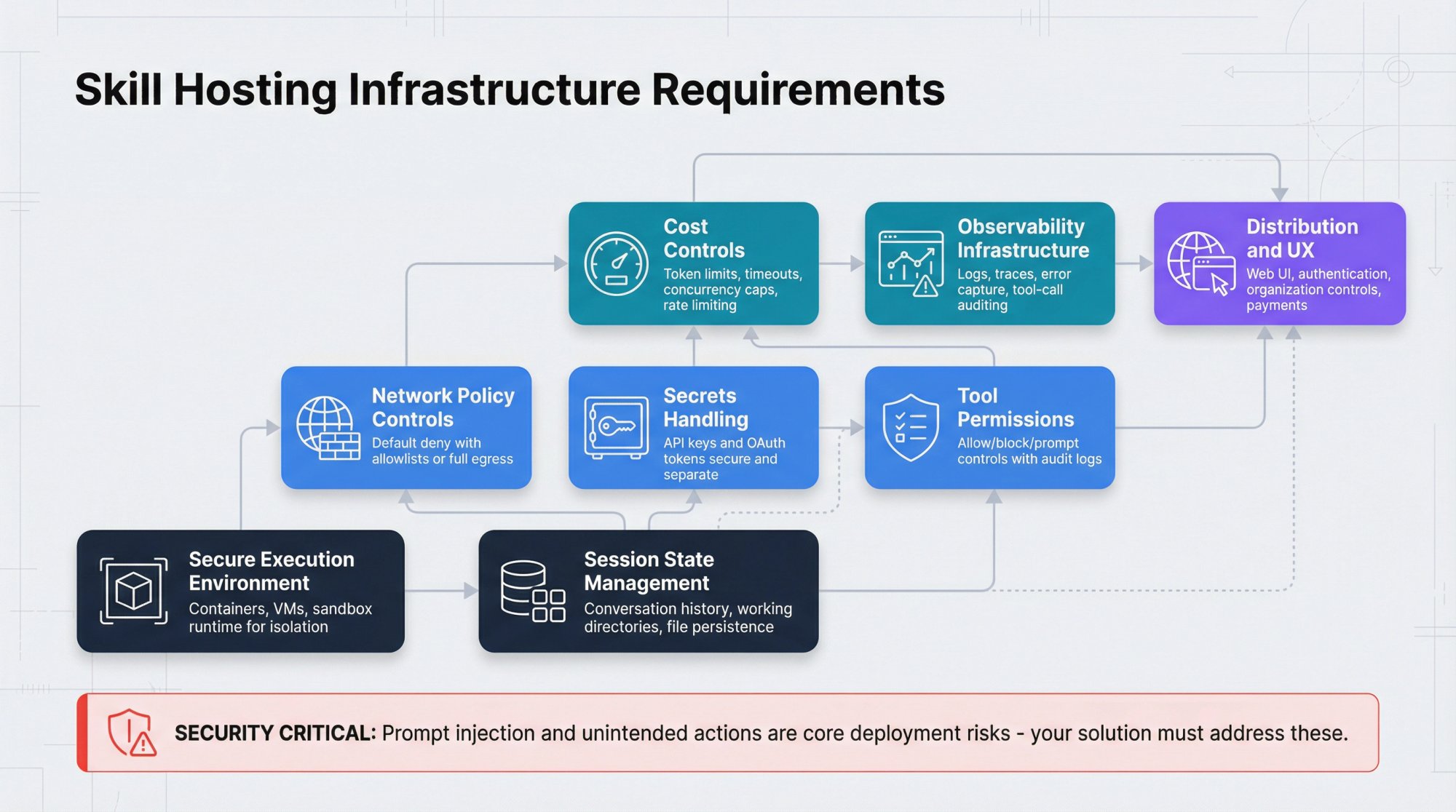
Before we get into solutions, let's be clear about what "hosting" actually needs to handle. Claude Desktop gives you all this for free locally:
→ A secure execution environment. Containers, VMs, or sandbox runtime to isolate different users safely.
→ Session state management. Conversation history, working directories, and file persistence between interactions.
→ Network policy controls. Default deny with allowlists, or full egress depending on what the Skill needs.
→ Secrets handling. API keys and OAuth tokens kept secure and separate from the model.